Monthly
No contract
BDT2,475per screen
a month
Cancel with 30 days' notice
Start monthly- Every feature
- Unlimited users and branches
- Hosting, updates and support
- Add or remove screens any month


Cloud signage for businesses with many branches
Put menus, promotions, notices and videos on the screens in every branch, and change them from anywhere. NoticeBee keeps playing when the internet drops, and starts again on its own after a power cut.
From BDT 2,230 per screen a month. Unlimited users and branches.
How it works
No cables to the office, no USB sticks to carry around. Set it up once; after that every change is a click.
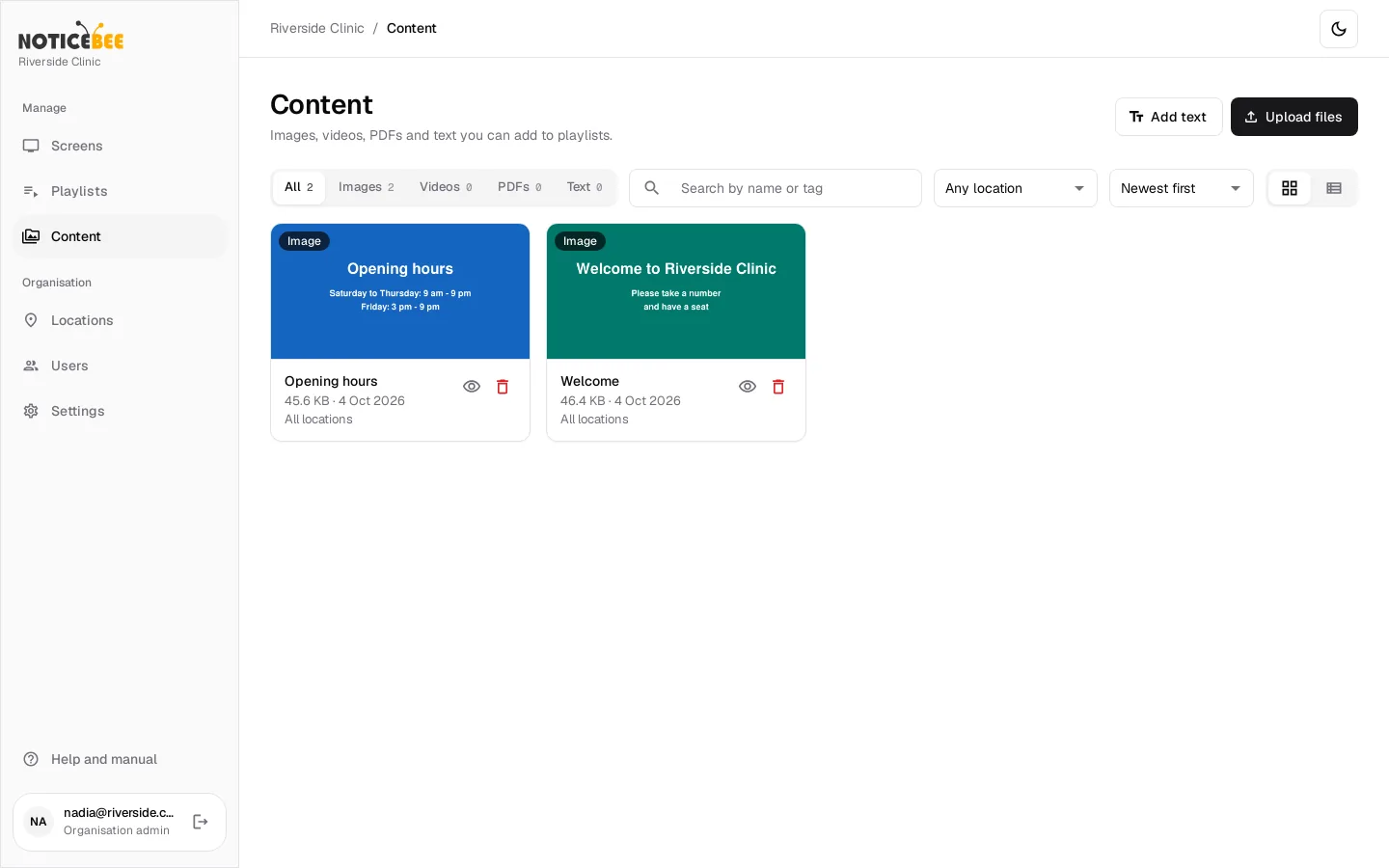
Upload images, videos and PDFs, or write a text notice. Tag them so you find them later.
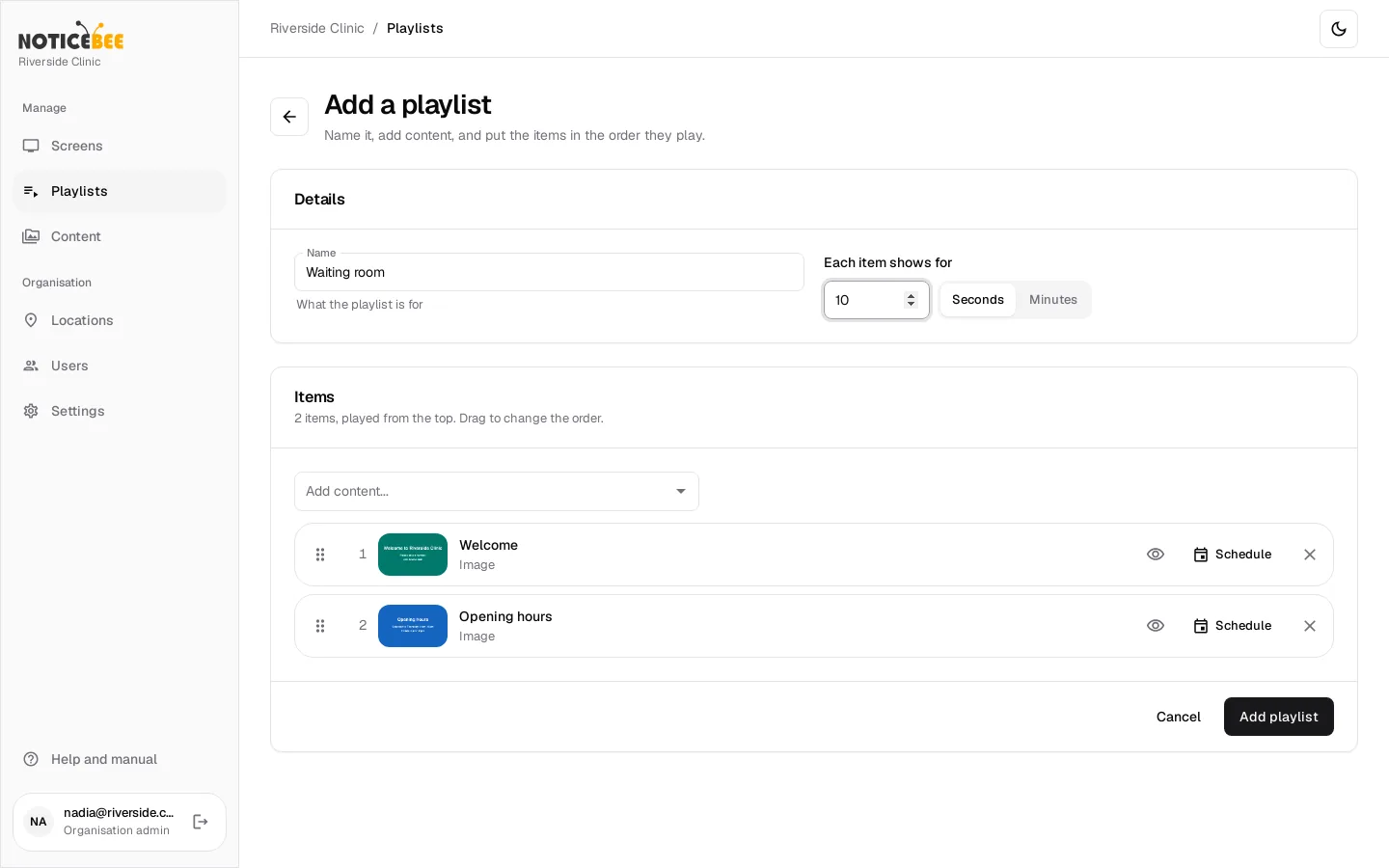
Drag items into order and choose how long each one shows. Schedule a promotion to start and stop on its own.
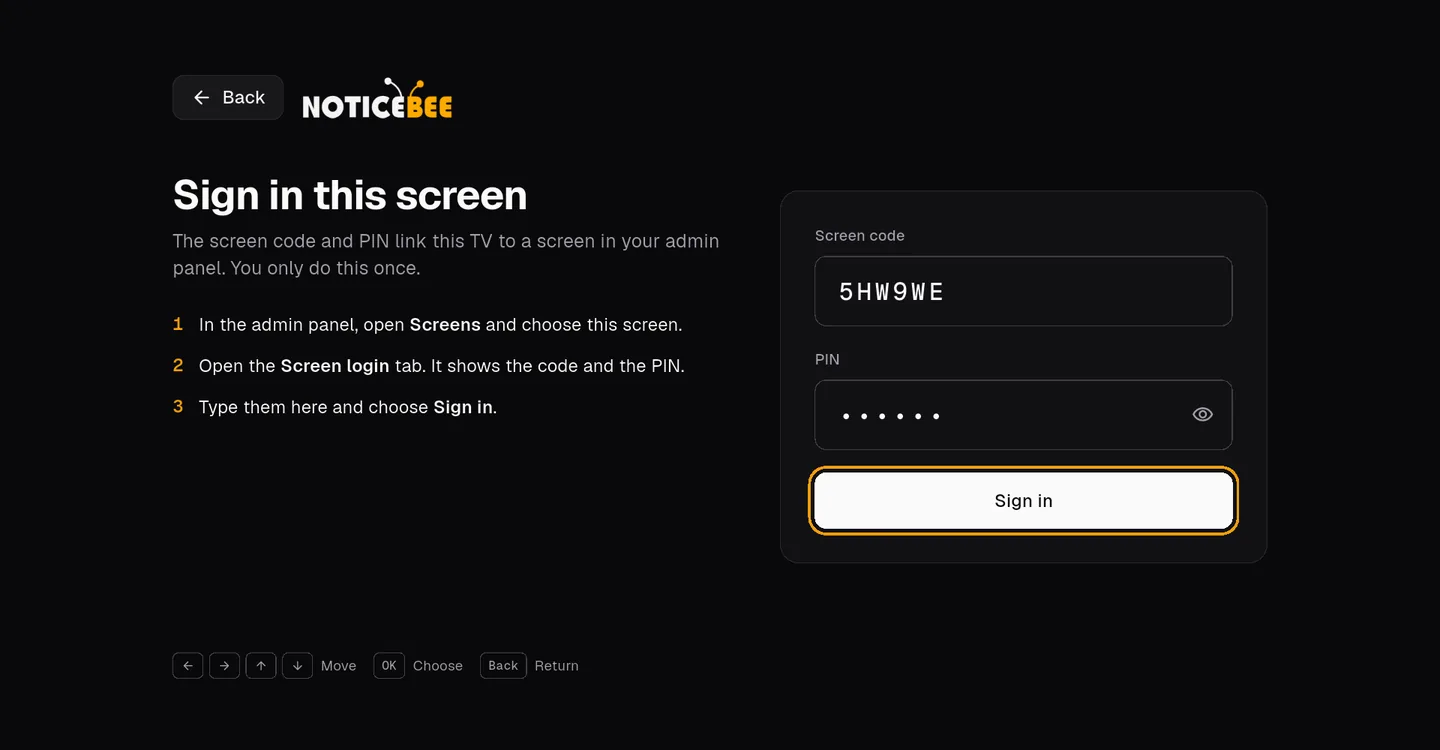
Install the app on the Android media player, then type the screen code and PIN with the remote. It plays from then on.
Features
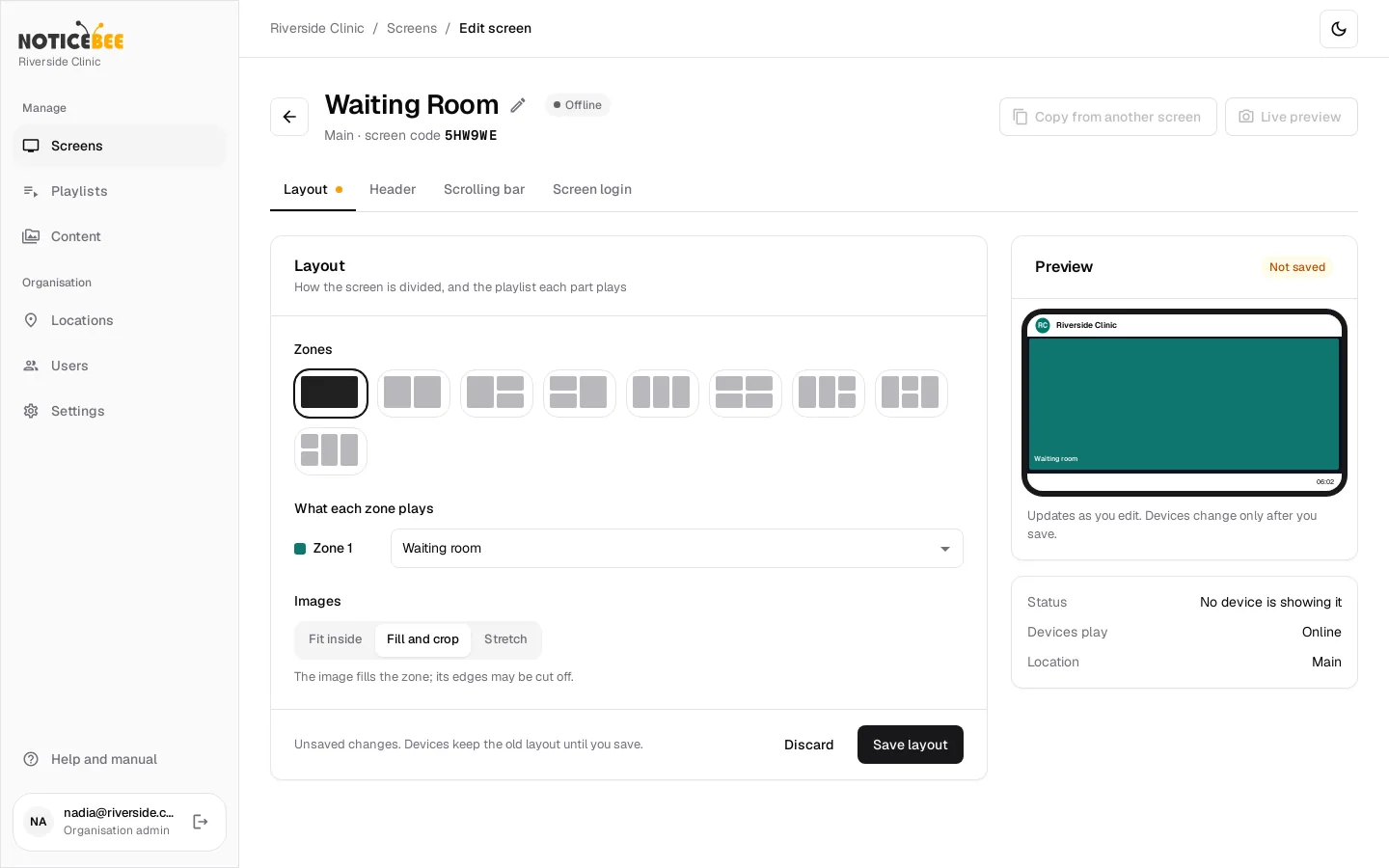
Choose one of 9 layouts and give each zone its own playlist: a promotion on the left, today's doctors on the right. Add a header with your logos and a scrolling message bar with the clock.
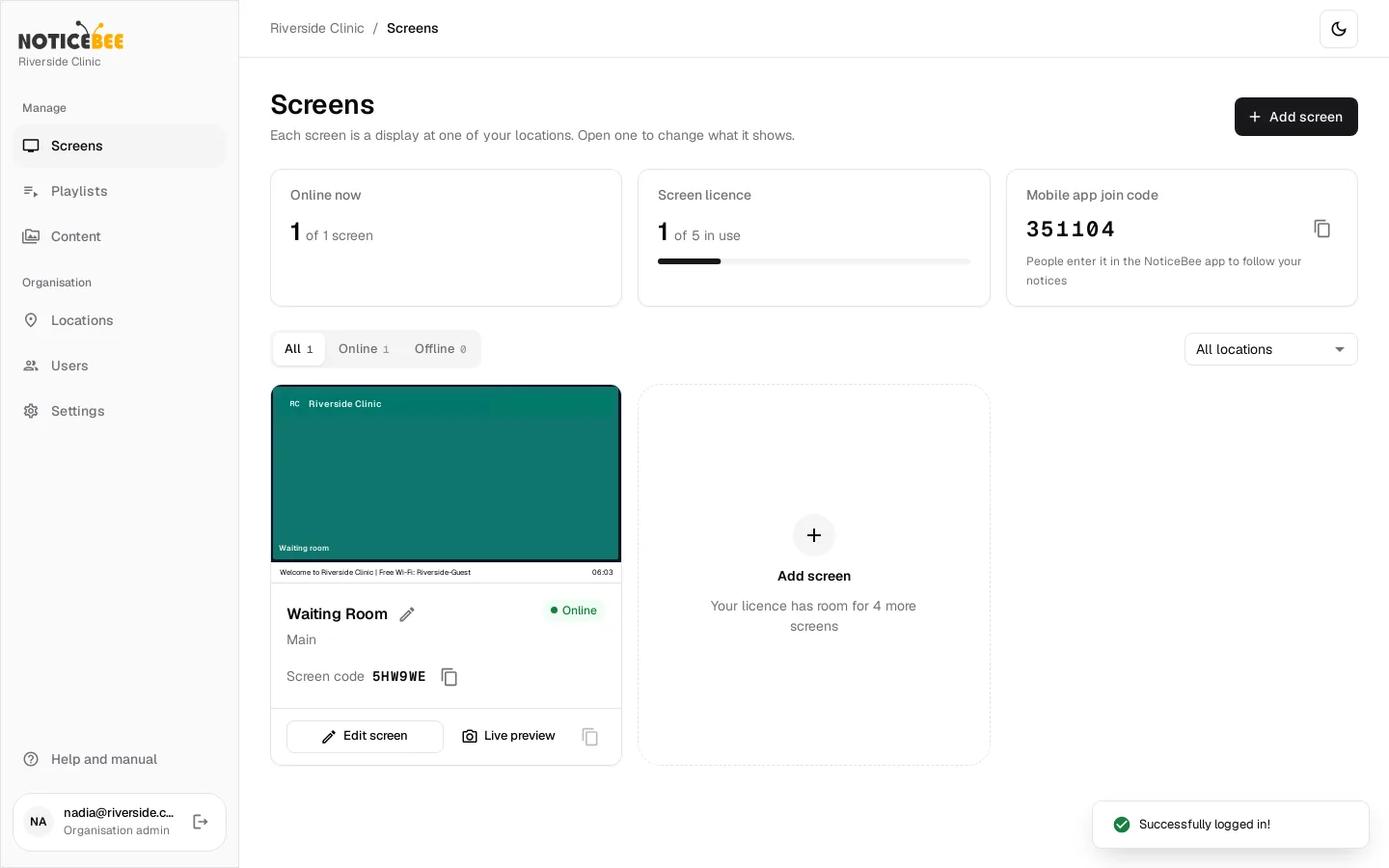
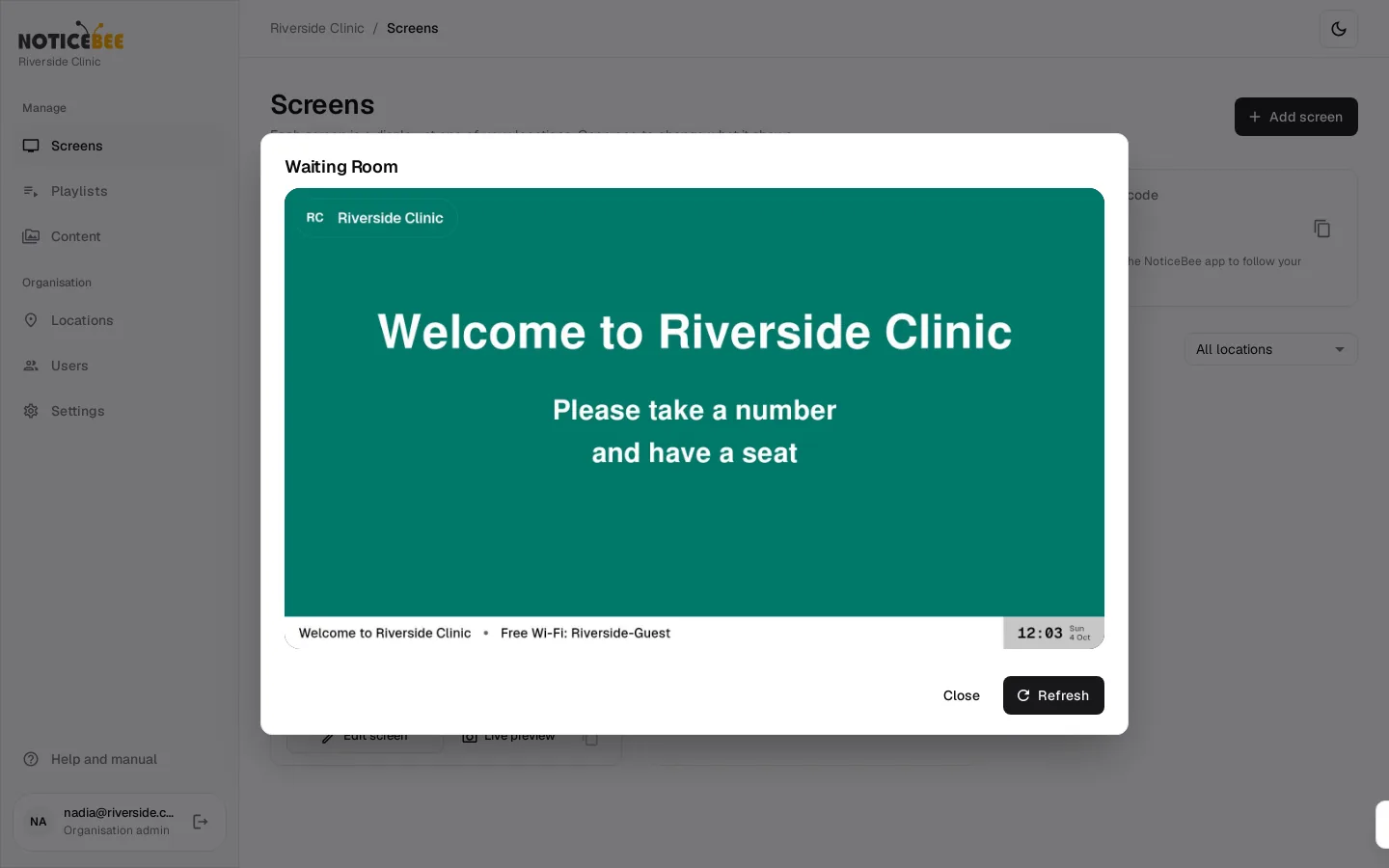
Know which screens are on, and look at any of them: Live preview shows a picture of what the TV is showing right now. If a screen goes offline, you get an email.
Routines and circulars play one page at a time, sharp on a big TV.
Set "show from" and "show until"; the offer appears and disappears on time.
Group screens by location. A branch manager sees only their branch.
Invite admins and location managers by email. Remove them in a click.
Kiosk mode keeps the TV in NoticeBee. Settings open only with the screen's PIN.
An Android TV, media player or tablet. Or get players from us, set up and ready to plug in.
Built for real branches
Screens in shops, restaurants and clinics run all day on ordinary Wi-Fi and ordinary power. NoticeBee is built for that, and comes with people who set it up for you.
Screens keep playing what they have saved, and catch up when the connection is back.
The app opens when the media player starts and goes straight back to playing. No one has to touch it.
No internet at all? Play images, videos and PDFs from a USB stick, unlocked with the PIN.
We set up your branches and brand, lay out every screen, pair each one with your staff on site and train your managers.
A real team on the other end, in your working hours. Updates and hosting are included.
In taka or pounds, monthly or yearly, by bank transfer. No card on file.
Pricing
No charge per user or per branch. Add screens any time at the same price.
No contract
BDT2,475per screen
a month
Cancel with 30 days' notice
Start monthlyRecommended · 10% off
The same, for less
BDT2,230per screen
a month
Instead of BDT 2,475, for 12 months from go-live
Talk to us50 screens or more, and institutions
Let's talk
A price for your volume
Get a quoteWe set up your organisation, branches, users, logo and colours, lay out each screen, pair and test every screen with your staff on site, and train head office and branch managers in a 90-minute session.
A one-off fee,
quoted for your branches
Prices exclude VAT, which is added where applicable.
FAQ
A TV or display, an Android media player plugged into it (an Android TV box, or an Android TV or tablet on its own), power and internet. We can recommend models, or supply players already set up.
No. It needs internet to get changes. When the connection drops, it keeps playing what it has saved and shows a small "offline" note in a corner, and catches up when the connection is back. With USB mode it can play from a USB stick with no internet at all.
When the media player starts, NoticeBee opens on its own, stays signed in and plays again. Nobody needs to press anything.
Images (PNG, JPG, GIF), videos (MP4, WebM, MKV, 3GP), PDFs, and text notices you write in the panel. A screen can be split into up to 4 zones, each with its own playlist, plus a header with your logo and a scrolling message bar.
No. In kiosk mode the player stays in NoticeBee, and the app's settings and USB mode open only with the screen's PIN. Five wrong PINs lock them for 15 minutes.
Yes. Add your branches as locations and invite a manager for each; they see and change only their own screens, while head office sees everything. Users are unlimited.
Only if you want the lower price. Monthly has no contract and stops with 30 days' written notice. A 12-month contract costs 10% less; at the end you renew it or carry on monthly.
By invoice, in taka or pounds, monthly or yearly in advance from the day your screens go live. Invoices are paid by bank transfer within 14 days.
On NoticeBee's cloud servers, separate for each organisation. Enterprise customers can have a dedicated server, or run NoticeBee on their own.
We'll show you the panel and a TV playing your content, in 20 minutes. Online, wherever you are, or at your office in Dhaka.